Chris Designs Things.
An AI-assisted portfolio shaped by design knowledge in Figma, then built and launched in Next.js with Codex.
AI-ASSISTED DESIGN / HUMAN DIRECTION
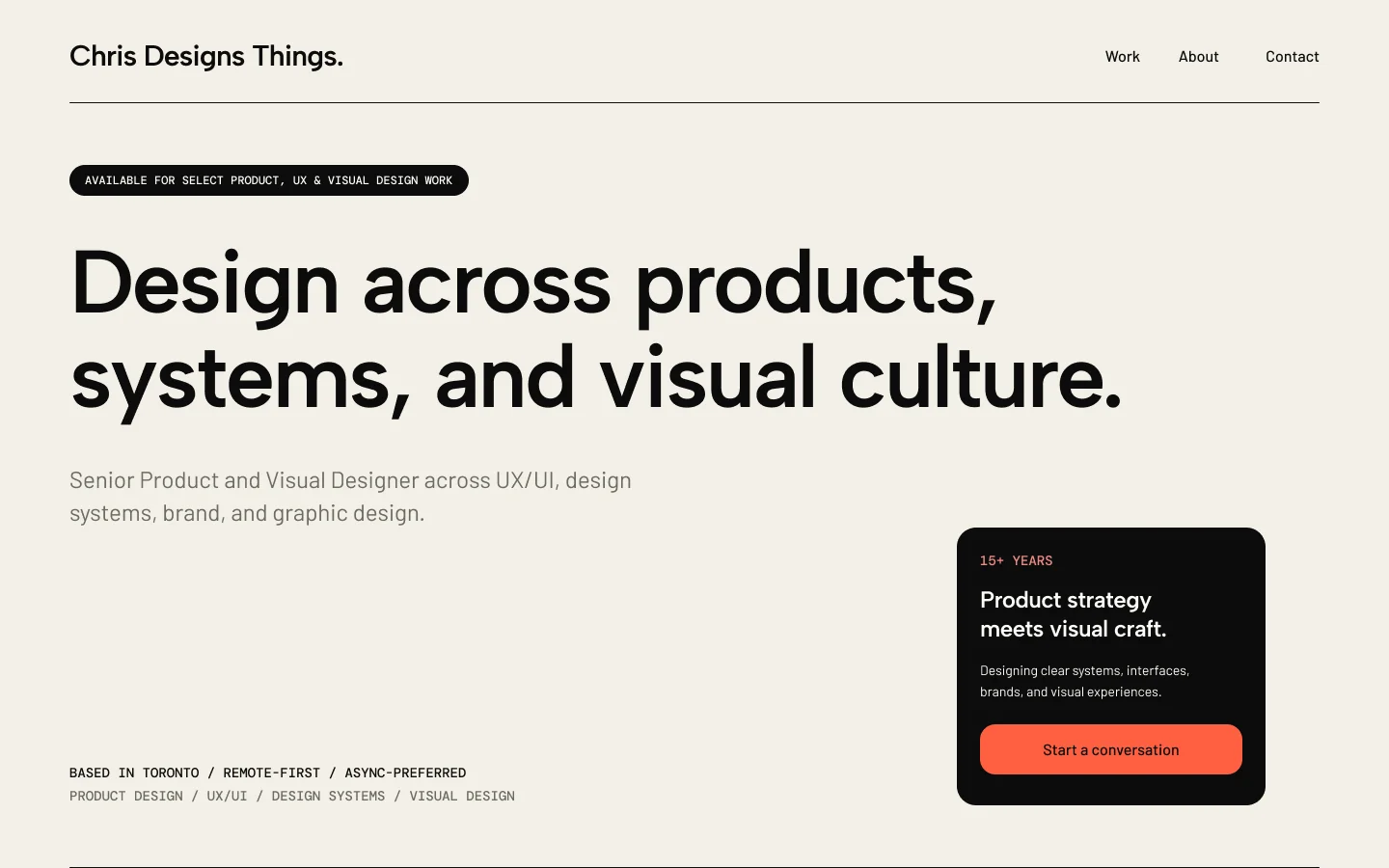
01 / FOUNDATION
Start with a foundation. Make it unmistakably yours.
I wanted a portfolio that could explain the range of my work without making it feel disconnected. AI helped explore the content, automate repetitive setup and compile reusable building blocks into an initial foundation. I then styled and refined those elements directly in Figma, using typography, hierarchy and composition to give the site a considered identity.
DESIGN PRINCIPLE
The brief comes first.
Define the audience, purpose and constraints before asking AI to generate a layout. A useful foundation gives the designer something concrete to evaluate and improve.
02 / CONNECTED WORKFLOW
Three ways of working. One continuous process.
I moved between Chat, Work and Codex as the project needed conversation, action or implementation. Each had a practical role in my workflow, with Figma carrying the visual decisions between stages.
01 / CHAT
Think and frame
A conversational space for exploring direction, refining copy and making a brief clearer. I used it to work through the story, page structure and questions before committing to a design.
02 / WORK
Act on the brief
A task-focused way to use files and connected tools to produce something reviewable. I used it with Figma to assemble components, apply tokens and speed up repetitive layout work, then styled and refined the result myself.
03 / CODEX
Build and iterate
A coding agent that can inspect and change project files. I used it to build the Next.js website from my Figma designs, resolve implementation issues and refine behaviour through technically informed requests.
03 / MCP + CONTEXT
Connect AI to the work.
Model Context Protocol, or MCP, is a standard way for an AI assistant to access connected tools and context. In this project, Figma connections gave the agent access to frames, components and variables. The design became a reference it could inspect and act on, with my instructions defining what to preserve and what to change.
FIGMA


Design reference
Frames, tokens and components
MCP


Tool connection
Connected design context
CODEX


Next.js website
Implementation and refinement
The connection carried context. My review determined whether the result respected the design.
INSTRUCTIONS


Prompt
The brief and constraints you give the assistant.
TOOL CONNECTION


MCP
A standard connection between the assistant and tools.
DESIGN VALUES


Tokens
Named values for colour, typography and spacing.
BUILDING BLOCKS


Components
Reusable building blocks with consistent properties.
04 / DESIGN DIRECTION
Design knowledge shaped the foundation.
My education in design principles helped me bring structure and character to the initial foundation. I styled and refined the AI-assembled building blocks directly in Figma, using typography, hierarchy, proportion, contrast and spacing to create a cohesive visual direction. Shared tokens and reusable components kept those decisions consistent across the site, while desktop and mobile layouts adapted the same story to different screen sizes and reading experiences.
MOBILE / READING ORDER
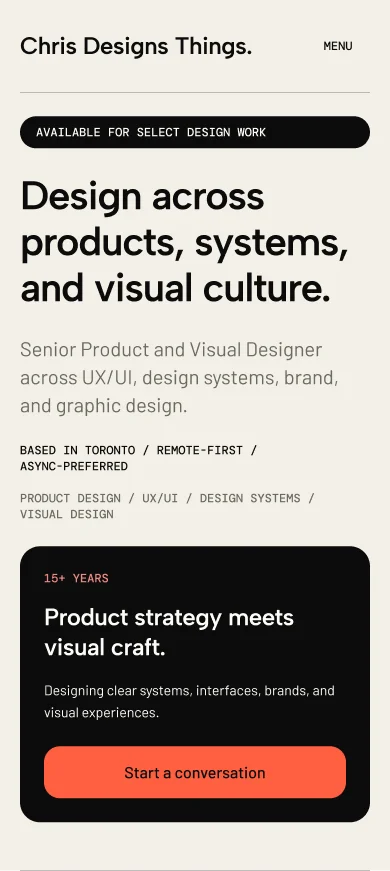
DESKTOP / SPACE + HIERARCHY
05 / DEVELOPMENT + MOTION
Technical fluency made the prompts actionable.
I developed and launched the site in Next.js using Codex. My HTML/CSS background helped me give precise instructions about layout, component structure and responsive behaviour, then spot and correct implementation issues. That knowledge made the AI tools more effective and efficient, substantially reducing overall development time. I continued refining the build and adding animations through focused prompting, adjustment and review.
01 / STRUCTURE
Name the layout
Describe containers, alignment and sizing so the build follows the design’s underlying rules.
02 / RESPONSIVE
Specify behaviour
Explain what should stack, wrap or change as the available space becomes narrower.
03 / MOTION
Tune the details
Adjust transitions, reveals and hover behaviour to support hierarchy and the site’s visual direction.
04 / REVIEW
Keep refining
Compare the implementation with the design and correct the specific places where it drifts.
06 / LAUNCH + REFLECTION
A launched website. A repeatable way to work.
The finished portfolio brings my product and visual work together through shared foundations, responsive layouts and purposeful motion. The process gave me a repeatable way to move from a brief to a launched website, with AI accelerating production and my design experience guiding the decisions that shaped the result.
01 / RESULT
Shared foundations
Tokens and components guide the design.
02 / RESULT
Responsive layouts
The story adapts to desktop and mobile.
03 / RESULT
Purposeful motion
Animation supports the visual direction.
04 / RESULT
Next.js website
Developed and launched with Codex, with design-led refinement.
The value of this workflow came from knowing what to ask for, what to keep and what to refine. AI helped me move faster, while an understanding of design principles and web development kept the final product purposeful and distinctly my own.
